


Local, brand-neutral hearing aid service
Hearing aid repair: fix it before you replace it.
Bring your current hearing aids to Clarity for a close inspection, honest explanation and practical repair path. We service all six major prescription brands and many popular prior-generation systems.
-
Oticon, Phonak, ReSound, Signia, Starkey and Widex
-
Findings explained directly in front of you
-
Current and many popular prior-generation systems
-
Warranty and manufacturer support checked first

$40 basic clean & check
Walk in and wait if we can help right away, or leave your hearing aids with us.
$40
basic clean & check
6 brands
major manufacturers serviced
3 offices
Osprey, Englewood and St. Petersburg
One clear plan
repair here, factory service or replacement only when justified
START WITH THE SYMPTOM
What is your hearing aid doing?
A device that looks “dead” may have a small blockage, a failed receiver, a charger problem, moisture exposure, physical damage or a setting that no longer matches your hearing.
We look for the real cause before talking about replacement.
No sound or weak sound
Silent, muffled, scratchy, distorted or much softer than usual.
Whistling or feedback
Wax, fit, physical damage and programming can each cause feedback.
Wax, moisture or debris
Filters, domes, tubing, vents and microphone ports can become blocked.
Charging or battery trouble
The aid, contacts, cable, power adapter or charger may be involved.
Cuts in and out
Sound changes with movement, drops unexpectedly or works intermittently.
Bluetooth or app trouble
Calls, apps, accessories or streaming no longer pair or behave correctly.

The problem may be the hearing aid, the receiver, the earpiece, the charger, the programming—or the physical fit.
Physical damage
A receiver, tube, shell, earmold, battery door or cable is cracked or broken.
Fit or programming feels wrong
The aid powers on, but comfort, clarity, volume or balance has changed.
INDEPENDENT AND BRAND NEUTRAL
One repair team for all six major brands.
Clarity sells and supports Oticon, Phonak, ReSound, Signia, Starkey and Widex. That means more repair paths, more fitting systems and stronger manufacturer relationships before replacement becomes the answer.


Oticon
Intent · RIC

Phonak
EON · RIC

ReSound
Sensia · RIC

Signia
RIC style

Starkey
SoundLens · IIC

Widex
RIC style
Representative device imagery. Repair options depend on the exact model, age, condition, parts availability and continued manufacturer support.
A COMPLETE, PATIENT-FIRST REPAIR PROTOCOL
We find the real reason your hearing aids are not working for you.
A hearing aid that seems broken may need only a receiver, dome, better physical fit, updated settings or current firmware. We start with the simplest likely cause and go deeper only when the evidence calls for it.
Some fixes take minutes.
Others deserve physical diagnostics or an overnight battery-verification test before anyone decides how reliable the device is or whether repair makes sense.

DETAILED COMPONENT INSPECTION
Start with the simple fixes
Wax, debris, a worn receiver or receiver wire can sometimes be cleaned or replaced during the visit. A small part can create a very large listening problem.
Make sure the device actually fits you
Secondhand aids may still be programmed for the previous wearer. We also verify dome or earpiece size and style, receiver-wire length and power, and whether the device can be appropriately fit to your hearing.
Check programming and firmware
If it has been six months or longer since a professional visit, we review the settings and check for approved manufacturer firmware for that exact model. When an update is available, we install it and verify performance. Firmware keeps the software inside the existing hearing aid current; it does not change the physical model.
Test deeper before recommending repair
Intermittent power or charging problems may require physical diagnostics or an overnight battery-verification test before we can judge reliability, damage and whether repair makes financial sense.
PHOTO REVIEW
Sometimes photos and the history narrow it down.
Clear close-ups and a specific description may point to obvious damage, blockage, a missing part or an accessory problem before the visit.
IN-OFFICE TESTING
Sometimes certainty requires the device in our hands.
When the cause is not visible, we inspect the hearing aid and run the appropriate diagnostics before stating how extensive the problem is.
A RESPONSIBILITY WE TAKE PERSONALLY
The community trusts us with more than a small electronic device.
People trust us with their hearing, independence and a major investment. Our specialist team takes pride in explaining what we know, what still needs testing and which next step makes sense—without guessing and without recommending replacement before the evidence supports it.
CLEAR IN-OFFICE REPAIR POLICY
$40
Walk in
Wait or drop it off.
Basic clean & check.
$65 for scheduled cleaning and maintenance. We quote anything more before proceeding.
Schedule maintenance
Make an appointment.
Parts or manufacturer service
We explain the separate cost and get your approval first.
THE RIGHT REPAIR PATH
Handled at Clarity—or sent to the manufacturer?
Not every repair belongs on a clinic workbench. The right decision protects both the hearing aid and your money.

OFTEN HANDLED IN OFFICE
Accessible parts, fit and performance
-
Cleaning and compatible external parts
-
Fit, feedback, programming and connection concerns
-
Common power, charger and receiver problems
When the problem is external, replaceable or software-related, the team may be able to address it during the visit.

MAY REQUIRE FACTORY SERVICE
Sealed electronics and specialized repairs
-
Sealed batteries, internal circuitry or microphone damage
-
Shell work and model-specific internal parts
-
Factory verification, warranty work and return testing
Internal failures can require manufacturer tooling, model-specific parts or a controlled repair environment.

Authentic Clarity programming station. Correct software, interfaces and compatible accessories matter.
EQUIPMENT AND CABLES ON HAND
Current models—and many popular prior generations.
Because Clarity sells all six major brands, we maintain the manufacturer software, programming equipment and many commonly needed cables or interfaces across our offices.
Current-generation systems
Routine fitting and programming platforms for the brands we actively support.
Popular previous generations
Many established devices can still be connected, tested and reprogrammed.
Legacy equipment by order
If supported equipment is not in stock, we can investigate availability, order it and schedule installation or programming when it arrives.
Exact support varies by model, age, parts availability and whether the manufacturer still services the platform.

Know what your current aid can still do.
A device may still have useful life or warranty coverage. We weigh that against repair cost and performance before recommending replacement.
REPAIR, KEEP USING OR REPLACE
Age is one factor—not the entire answer.
Around eight years is a useful checkpoint because several manufacturers may consider devices of that age obsolete or limit parts and factory support. Some models remain serviceable longer. Condition and support matter more than a birthday alone.
Warranty status
The repair may still be covered.
Parts and support
Can the manufacturer still service the model?
Repair value
Does the cost make sense for the likely remaining life?
Current benefit
Does the aid still meet your hearing and lifestyle needs?
Repair history
Is this a one-time failure or a repeating pattern?
Fit and programming
Would adjustment solve more than replacement?
Do not assume the warranty is over. Bring any purchase information you have. We can help identify the device and review what support may remain.
COMMON HEARING AID STYLES
Different styles need different service paths.
Bring the device even if you do not know the style, model or generation. We can identify it and determine which service paths remain realistic.

Receiver-in-canal
RIC and miniRITE devices

Ready-to-wear in-canal
Discreet instant-fit options

Custom molded
IIC, CIC, ITC and full-shell devices

Rechargeable systems
Hearing aid and charger troubleshooting
CARE BETWEEN VISITS
Help your hearing aids last between visits.
A simple routine can prevent avoidable interruptions. We can show you the care method and replacement parts for your exact hearing aid instead of asking you to guess which tool or filter fits.
1 / DAILY CARE
Wipe the outside gently
Use a soft, dry cloth to remove surface debris. Keep water, cleaning fluids and sharp tools away from the microphone and sound openings.
2 / STORAGE
Keep the system dry
Store the aids as your manufacturer recommends. Keep them away from direct heat, water and heavy moisture; bring the charger too if its contacts or power seem unreliable.
3 / SUPPLIES
Match parts to the model
Domes, wax filters and tubing are not interchangeable across every aid. Use only parts and methods intended for your model, and let us demonstrate when you are unsure.
4 / CHANGES
Notice what has changed
A new fit problem, feedback or repeated drop in sound is worth describing. We can help decide whether cleaning, fit, programming or a repair assessment is the next step.
If the aids are already acting differently, start a SnapCheck. Its form contains the specific photo examples and optional earpiece illustration for your device style.
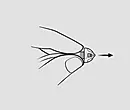
A COMMON CAUSE OF WEAK OR MUFFLED SOUND
A simple wax-guard check—when your model is designed for it.
1
Remove the dome gently
Only if your earpiece is designed to detach.

2
Lift out the used guard
Use the removal end of the exact compatible tool.

3
Insert the new guard
Use the replacement end without forcing the part.

4
Confirm it sits flush
The new guard should be even and secure.

5
Reattach the dome
Press it on securely before wearing the hearing aid.
Use only the exact part and tool for your hearing aid.
Parts vary by manufacturer and model. Do not force anything or use liquids, pins, needles or sharp tools. Stop if the dome, wire or receiver looks loose or damaged. If you plan to use SnapCheck and are unsure, take the requested photos before removing anything.
If sound is still weak—or you are unsure—stop and contact Clarity. A wax-guard change does not rule out another repair need.
Example for compatible receiver-in-canal hearing aids with a removable dome. Your exact part and tool may look different.

START FROM HOME
Show us your hearing aid. We’ll guide the next step.
Hearing Aid SnapCheck by Clarity Hearing Care gives you a convenient way to share a few clear device photos and explain what changed. A Clarity team member reviews the details and contacts you about the most practical next step.
Three guided photos
Human reviewed
No obligation
About five minutes
1
Describe
what changed
2
Photograph
the requested views
3
Hear from Clarity
about the next step
What SnapCheck can—and cannot—do: It gives the Clarity team a useful first look at the exterior of a hearing aid and the details you provide. It is not a diagnosis, repair, guaranteed quote, or warranty decision. An in-person evaluation may still be needed.
HELP US TEST THE WHOLE SYSTEM
Bring these four things to your repair visit.
Each item can help us isolate whether the problem is the hearing aid, its power source, a connection or its service history.
1
DEVICE
Both hearing aids
Bring the pair, even if only one side is acting up. Comparing them can reveal useful clues.
2
POWER
The complete charger
Bring the charger or case, cable and wall adapter—not only the hearing aids.
3
CONNECTION
Your smartphone
Bring it for app, Bluetooth, call or streaming concerns.
4
RECORDS
Device information
Brand, model, serial number, purchase date, warranty and prior repair details all help.
Keep passwords private. If app sign-in is needed during a visit, enter it yourself on your phone. Never send a password through SnapCheck.

Brad Wagner
HAS, BC-HIS · Co-owner

Kevin Wagner
HAS, BC-HIS · Co-owner

Kevin Wagner at Clarity Hearing Care, with current hearing-aid technology on display.
EXPERIENCE WITH PERSPECTIVE
A careful second opinion can reveal another repair path.
50+
combined years of hands-on experience between brothers and co-owners Brad and Kevin Wagner.
Different clinics have different tools, parts, software, manufacturer relationships and repair experience. A fresh look can reveal another path without assuming anyone acted in bad faith.
Clarity’s promise is simpler: inspect carefully, explain clearly and let the evidence guide the recommendation.
LOCAL HELP AT THREE OFFICES
Bring it to Clarity.
Call ahead when possible so the office can plan time for a device inspection, especially when the problem involves a charger, programming or a legacy model.

Osprey
2101 S. Tamiami Trail
Osprey, FL 34229
Convenient to Venice, Nokomis, Laurel, Palmer Ranch, Vamo and South Sarasota.

Englewood
2828 S. McCall Rd, Suite 43
Englewood, FL 34224
Convenient to Wellen Park, North Port, Port Charlotte, Rotonda West and nearby communities.

St. Petersburg
6701 38th Ave N, Suite A
St. Petersburg, FL 33710
Local repair and hearing care for St. Petersburg and surrounding Pinellas communities.
HEARING AID REPAIR QUESTIONS
Clear answers before your visit
KEEP EXPLORING
Helpful next steps from Clarity


BEFORE YOU REPLACE IT
Let Clarity take one more careful look.
Bring both aids, the complete charger, your phone and any warranty information you have. For app troubleshooting, be ready to sign in on your own phone if needed; never send a password through SnapCheck. We will inspect the system, explain the findings and help you choose the most sensible next step.
